

ScrollZero
Scroll less. More time for life.
ScrollZero gives you a daily budget for scrolling and puts a short, calm pause in front of the apps that steal your time, such as Instagram, TikTok or YouTube.
- Soon onGoogle Play
- Soon on theApp Store
Not public yet. The launch on Google Play is being prepared, there is no date yet. The Android version comes first, an iPhone version will follow later.
Your daily budget
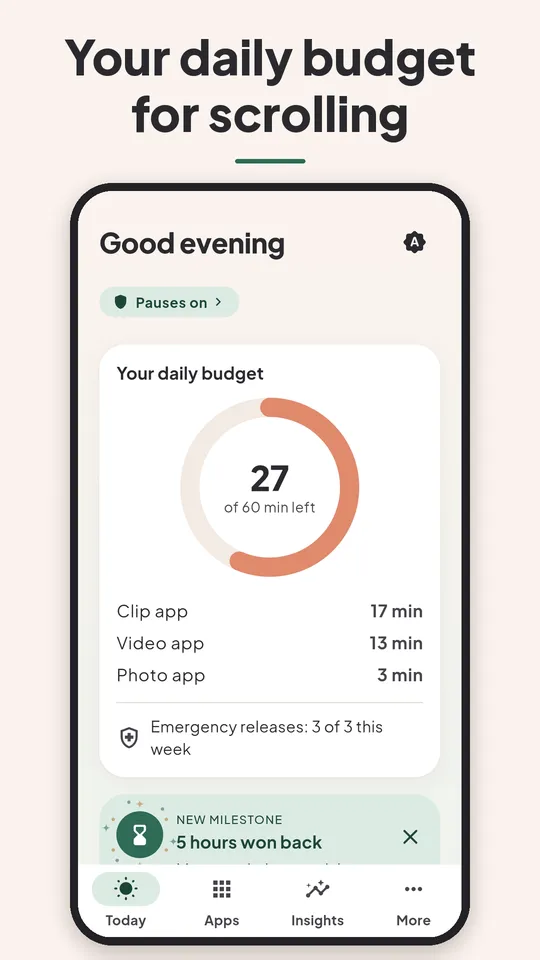
You set how many minutes a day you want for your time-eating apps, for example 30.
A pause before your apps
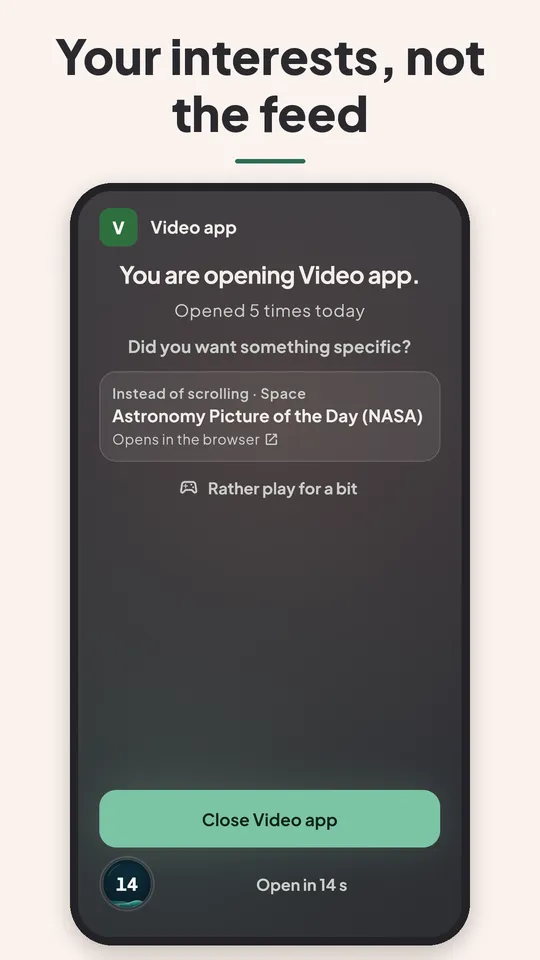
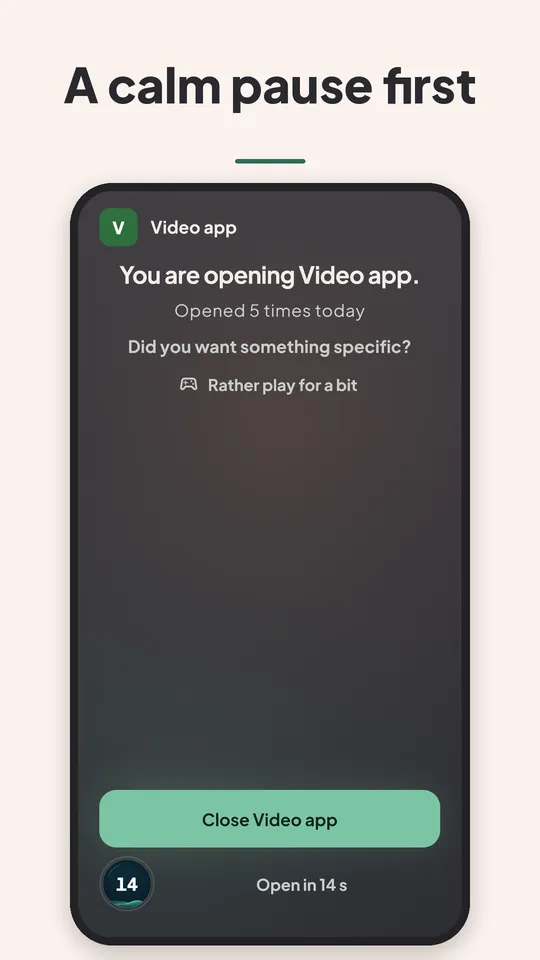
When you open a chosen app, such as Instagram, TikTok or YouTube, a short pause comes first, with a waiting time and the question “Did you want something specific?”.
Pause or paper key
You choose how a locked app opens.
Notify me at launch
One email as soon as ScrollZero is available. Nothing else.
A look inside
This is what ScrollZero looks like.
Features
What ScrollZero does for you
A daily budget instead of endless scrolling: pause, interest links and, if you like, a paper key. 7 days everything free, then ScrollZero Plus.
Your daily budget
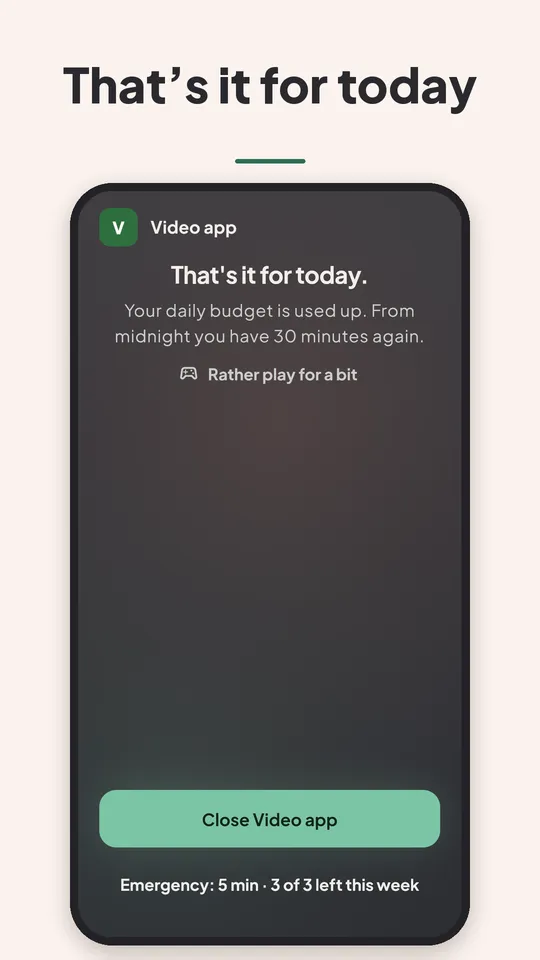
You set how many minutes a day you want for your time-eating apps, for example 30. Every deliberate opening counts towards this budget. When it is used up, the apps stay closed until midnight. Three emergency releases per week (5 minutes each) are then the only way in.
A pause before your apps
When you open a chosen app, such as Instagram, TikTok or YouTube, a short pause comes first, with a waiting time and the question “Did you want something specific?”. Instead of the feed you get a link to your interests, such as knowledge, history, nature, space, technology or art. Then you decide: close it, or open it on purpose for 5, 10 or 15 minutes.
Pause or paper key
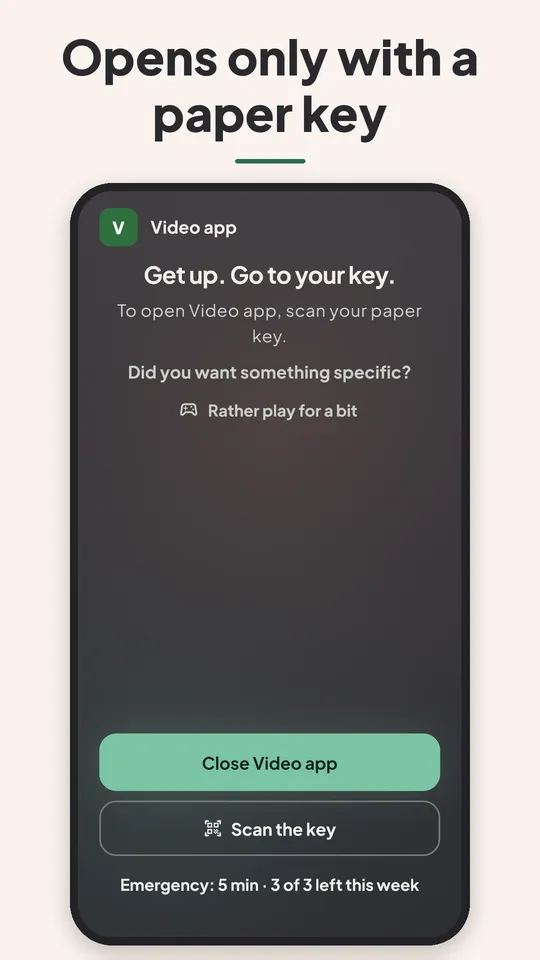
You choose how a locked app opens. With the pause, the waiting time grows a little with every opening. With the paper key, ScrollZero creates a PDF with a QR code that exists only for your phone: print it, hang it far away from your bed, and a locked app only opens when you get up and scan it. The camera is used only for scanning; no picture is stored.
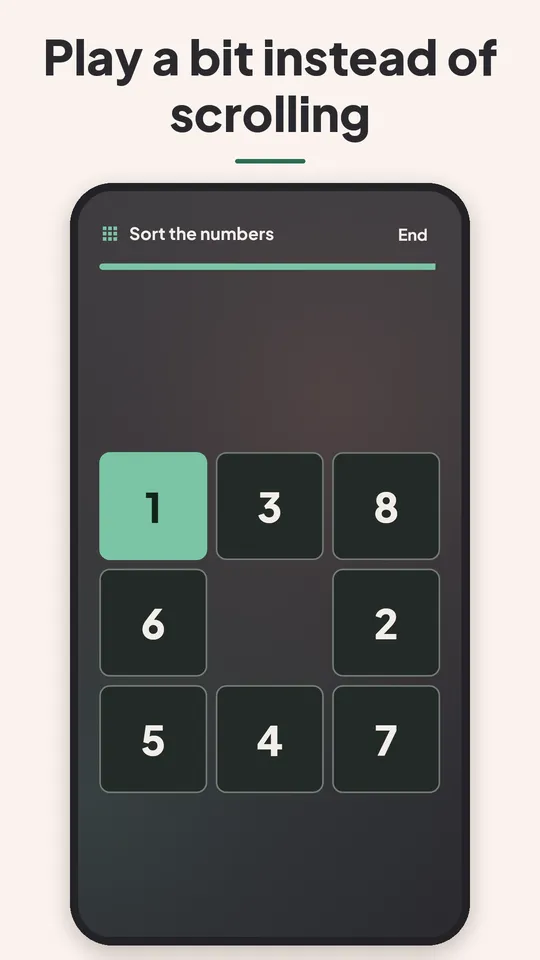
Play briefly instead of scrolling
On the pause there are small, calm games for distraction, without a high score. The pause is never shortened by them.
Clear rules, if you want them
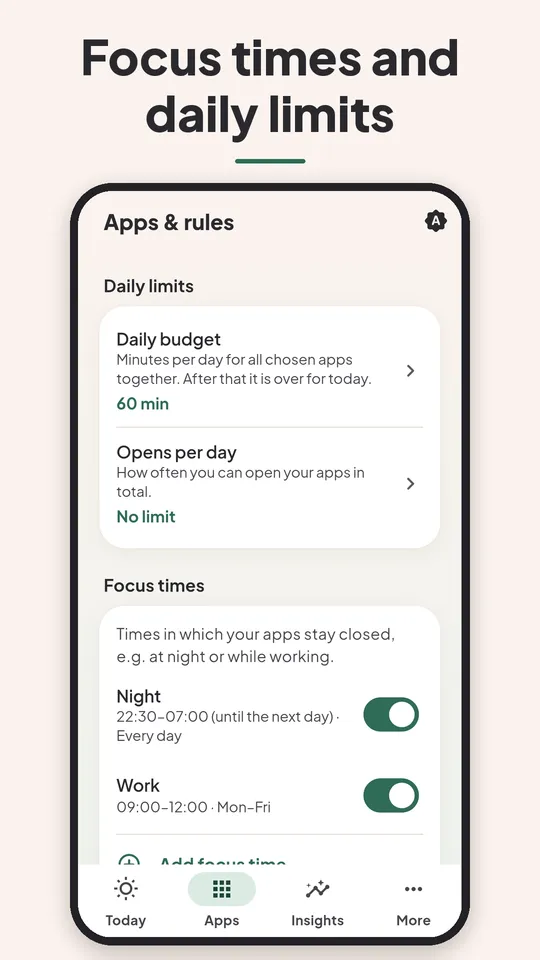
Focus times keep your apps closed at set times, for example at night or at work; you start bedtime with one tap. Plus limits for time per app and number of openings per day. In strict mode there is no “open anyway”; loosening only works after a waiting period.
Measured, not estimated
With optional usage access, ScrollZero compares calendar weeks with your start. Plus a weekly report, insights, milestones and a widget for your home screen.
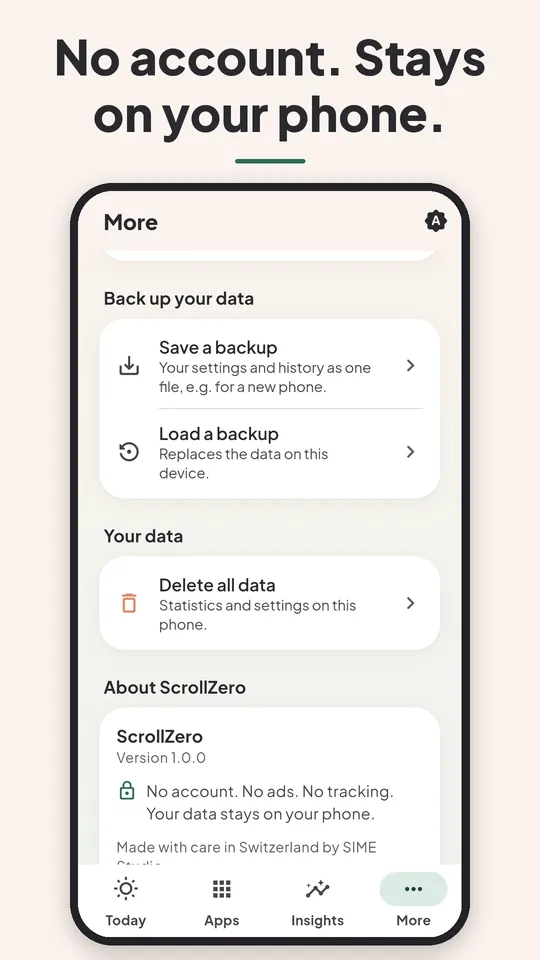
No account, no ads, no cloud
ScrollZero needs no sign-up, shows no ads and has no trackers. All data stays on your device and can be deleted at any time. So that the pause appears before your apps, ScrollZero uses Android’s accessibility service: it only sees the name of the opened app, reads no screen content and explicitly asks for your consent first.
In your language
ScrollZero is available in 10 languages: German, English, French, Italian, Swedish, Norwegian, Spanish, Portuguese (Brazil), Dutch and Polish.
Prices
Try it free for 7 days, no ads.
Free week
7 days everything free, no payment details
CHF 0
What’s included
- All features for 7 days, from the first opening
- No payment details, no subscription, ends by itself
- Afterwards without a purchase: pause and lock off, your numbers stay visible
- Never any ads
ScrollZero Plus ⭐
Everything ScrollZero can do
CHF 4.90/ month
- CHF 29.90 / year
- CHF 69.00 once, forever (as long as we offer the app)
What’s included
- Daily budget, pause and interest links
- Lock type pause or paper key, 3 emergency releases per week
- Focus times, limits and strict mode
- Small games on the pause
- Weekly report, insights, milestones and widget
- If you already bought ScrollZero Plus, you keep everything
Prices in CHF (reference prices). Outside Switzerland Google Play shows your local currency; the price in the purchase dialog is binding. The app counts the 7 free days on your device; there is no Google Play free trial. No ads, no hidden costs. Subscriptions can be cancelled at any time in Google Play.
FAQ
Good to know.
Is ScrollZero free?
For the first 7 days, yes: all features, no payment details and no subscription. After that you need ScrollZero Plus to keep the pause and the lock running. Without a purchase your numbers stay visible. There are never any ads.
How much does ScrollZero Plus cost?
CHF 4.90 per month, CHF 29.90 per year or CHF 69.00 once, forever (as long as we offer the app and it runs on your device). There is no Kaffee-Abo for ScrollZero, because there are no ads. The prices shown by Google Play at purchase are binding.
How do I cancel?
At any time in Google Play under “Payments & subscriptions”. The subscription runs until the end of the paid period. The 7 free days end by themselves, you do not need to cancel anything. The one-time purchase is not a subscription and does not need to be cancelled.
Is my data stored or shared?
No. ScrollZero needs no account, has no cloud, no trackers and no ads. All data stays on your device and can be deleted at any time. ScrollZero uses the camera only for the optional paper key, without storing a picture. Only for purchases via Google is the necessary data processed by Google. Details are in the ScrollZero privacy policy.
Why does ScrollZero need Android’s accessibility service?
So the app can recognize which app you open and show a pause before it. ScrollZero only sees the name of the opened app and the type of window (only in memory, never stored), reads no screen content, performs no actions in other apps and transmits no data. Before switching it on, the app explicitly asks for your consent, and you can turn the service off at any time in Android settings.
What is the minimum age for ScrollZero?
18 years. ScrollZero is a tool for digital habits and not a medical device; it does not replace medical or therapeutic advice.
Which languages is ScrollZero available in?
ScrollZero is available in 10 languages: German, English, French, Italian, Swedish, Norwegian, Spanish, Portuguese (Brazil), Dutch and Polish. The legal texts (privacy policy, terms of use) are available in German and English. This website is available in the same 10 languages as the apps; blog and legal texts are in German.
When will ScrollZero be available?
ScrollZero is not publicly available yet. The launch on Google Play is being prepared, there is no date yet. The Android version comes first, an iPhone version will follow later. If you would like an email at launch, sign up under “Notify me at launch”.
ScrollZero is a tool for digital habits, not a medical device.
For people aged 18 and over. ScrollZero does not replace medical, psychological or therapeutic advice and makes no promises of a cure or guaranteed success. If your media use weighs on you, please talk to a professional.
ScrollZero is a tool for digital habits and shows no ads. You decide which apps get a pause.
Not signed up yet?